
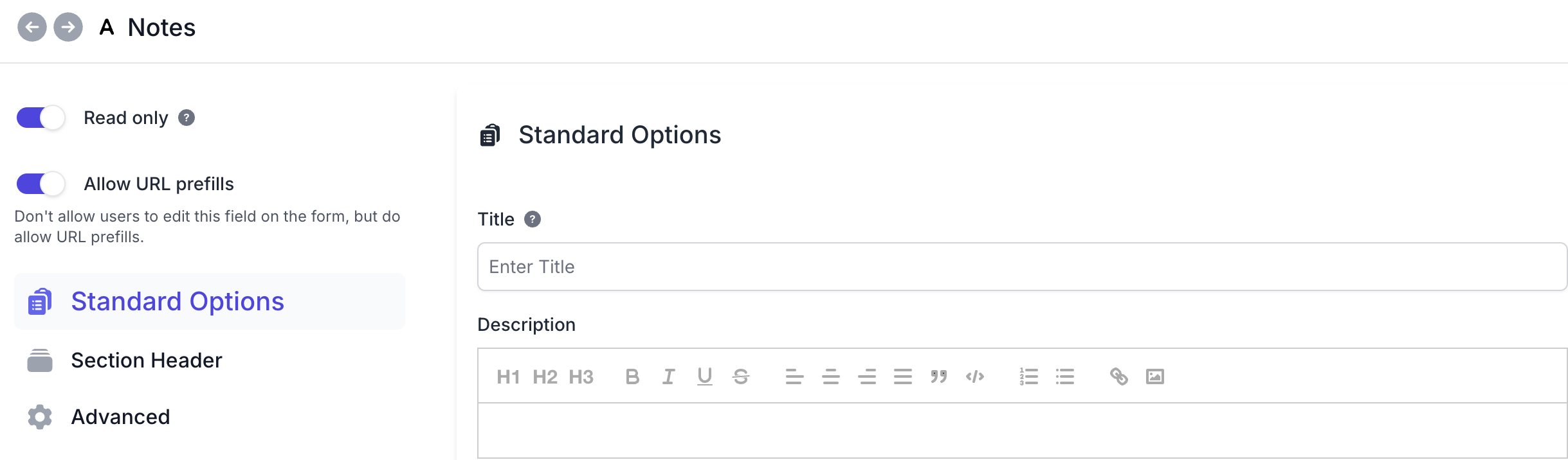
Save visitors from retyping information you already have. The miniExtensions Form can prefill that information in read-only fields so it is included in the submitted Airtable record without visitors having to enter it themselves. The fields remain read-only while visitors complete the form.
Share workshop-specific registration links
If you run several workshops, each registration link can prefill the relevant workshop name in a read-only field. Visitors only need to enter their own registration details; the workshop name is included in the submitted Airtable record without them having to type it.
The same approach works for campaign labels or other non-sensitive information you already have and want included in the submitted record without asking visitors to enter it.
Keep the limits of the link in mind
The field stays read-only while the visitor completes the form. However, a recipient can change the URL before opening a fresh copy, and the form can accept a different permitted prefill. The link does not verify identity or make its values authoritative.
Do not treat a URL-prefilled user ID, price or permission as verified. Keep secrets out of URLs and configure access rules separately. URL prefills are supported on forms, but not on form views inside a Portal or Interface.
Getting started
Set the field to Read-only, enable Allow prefills, and include the desired value in the shared form link. See the prefill setup and troubleshooting guide for supported fields, URL syntax and configuration details.